DWUser.com

Empowering Web Creativity

Easy Rotator

The jQuery Slider / jQuery Rotator Builder You've Been Waiting For. For Free.

Power, easy and flexibility at the perfect price.

What Is It?

EasyRotator ® allows you to build impressive jQuery sliders / rotators for your webpages in minutes.  Available as a Dreamweaver extension and standalone application and WordPress plugin, it lets you select photos, choose a layout, make customizations, then have all necessary code automatically added to your page.  Making updates is just as simple.  Here's why EasyRotator ® should be part of your toolbox:

  • Based on jQuery - Compatible with all modern browsers and mobile devices (IE7+, Firefox, Safari, Chrome, iOS, Android, Blackberry & more)
  • SEO Friendly - Adds HTML to your page that is standards-compliant and indexable by search engines
  • Over 45 Flexible Templates - Choose from almost fifty ready-to-use looks, then customize common settings like dimensions, background color, autoplay and randomization.  Need a custom configuration?  We can create custom templates, most for only $50.
  • Lightweight - Adds less than 40K to your page.
  • Easy to Use - We understand - you need a rotator, and you need it fast.  Download now and see just how easy EasyRotator is.
  • Free - Oh, yeah... and it's 100% free to top it all off. 
Download Now
 Mac and Windows. Version 1.0.107.
Tell Friends about EasyRotator:
Share on Twitter Share on Digg


WordPress EasyRotator for WordPress

EasyRotator for WordPress is now available.  Add beautiful EasyRotator rotators and sliders to your WordPress site in seconds!

Get EasyRotator for WordPress Now »

Samples

Here are a couple of quick demos of what you can create with EasyRotator.  But you have to use EasyRotator to get the full picture!
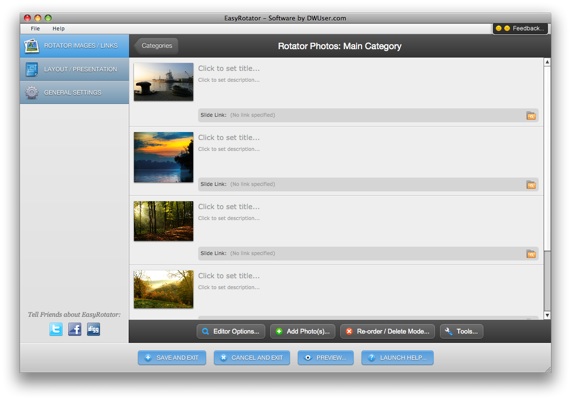
  • ~ Main Wizard View ~<br/>The wizard has an easy-to-use interface for visually managing photos. ~ Main Wizard View ~
    The wizard has an easy-to-use interface for visually managing photos.
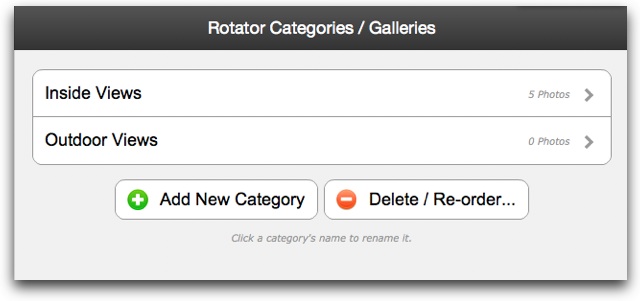
  • ~ Category View ~<br />Photos can be organized in multiple categories for some templates. ~ Category View ~
    Photos can be organized in multiple categories for some templates.
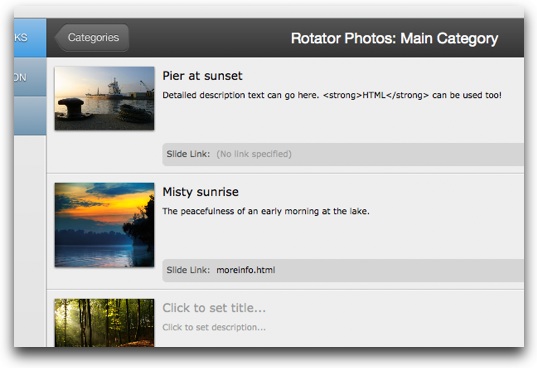
  • ~ Image Editor Detail ~<br/>Easily add titles, descriptions and links.  View is customizable, so you can hide unneeded options. ~ Image Editor Detail ~
    Easily add titles, descriptions and links. View is customizable, so you can hide unneeded options.
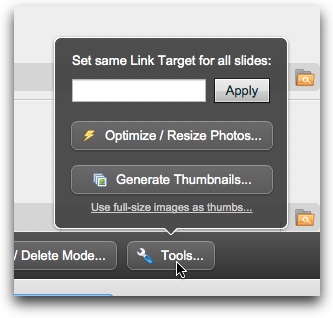
  • ~ Built-In Tools ~<br/>The photo manager includes a built-in photo resizer/optimizer and thumbnail generator. ~ Built-In Tools ~
    The photo manager includes a built-in photo resizer/optimizer and thumbnail generator.
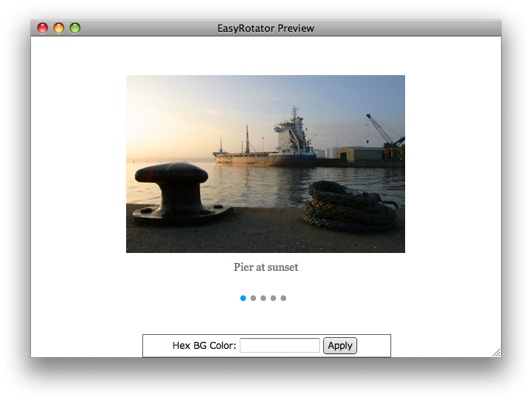
  • ~ Preview Window ~<br/>The built-in preview window lets you preview your work as you make changes. ~ Preview Window ~
    The built-in preview window lets you preview your work as you make changes.
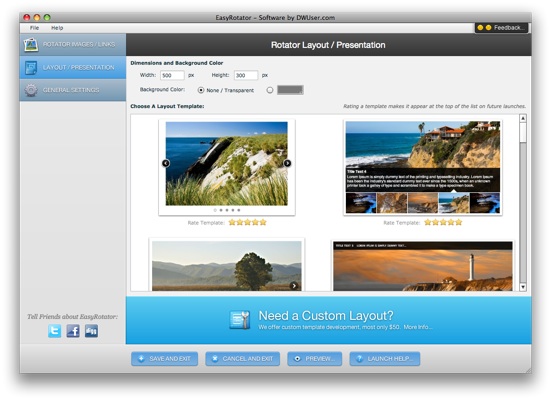
  • ~ Layout View ~<br/>Customize dimensions and background color, then select from almost two dozen built-in templates. ~ Layout View ~
    Customize dimensions and background color, then select from almost two dozen built-in templates.
     

The following sample highlights some of the numerous layout templates available:

How to Use EasyRotator

The extension interfaces with Dreamweaver through the Behaviors Panel (Window > Behaviors).  After selecting the <body> tag in your document, click the Add Behavior button and select the Scrollbar Styler option.  The configuration dialog will open, allowing for creation of a color theme.  After desired adjustements are made, click OK to apply the styles.  If you need to make changes later, re-select the <body> tag and double-click the Scrollbar Styler item in the Behaviors Panel.

Visit the Support Center for comprehensive usage assistance options, including instructions for installation and usage.

Custom Template Development

Do you need a custom template?  Send us your PSD or an example URL and we'll send a quote.  Most designs are only $50.  To get started, open a support ticket below.

Requirements and Compatibility

Platform: Compatible Windows - XP or higher
Compatible Mac - OSX 10.4 or higher with Intel CPU.  PPC not supported.
Required Software: No external software is required.
Dreamweaver Version: The optional Dreamweaver Extension requires Compatible Dreamweaver MX, MX 2004, 8, CS3, CS4, CS5, CS6 or higher
 
Log In
  Reset Password...
 
Why create an account?
  • Manage support tickets and purchases
  • Access to free extensions
  • Special discounts and offers
  • Access to member-only forums
Create Account
100% Spam-Free Guarantee
(Optional)
 

Use the following form to ask a question or submit a support request. An appropriate staff member will reply as soon as possible (usually within a few hours).
Contact Us / Create Support Ticket
 
To attach files, you must Sign Up or Log In.

You have no items in your basket.  Featured products:

XML Flash Slideshow v4 Flash Audio Kit for Dreamweaver

Home | Customer Satisfaction / Refund Policy | Privacy Policy | jQuery Slider | Top of Page

© 2003-2012 DWUser.com / Magnetic Marketing Corp.  All rights reserved.